HELP
A STEP BY STEP GUIDE OF HOW TO CONNECT YOUR NIGHTLIGHT
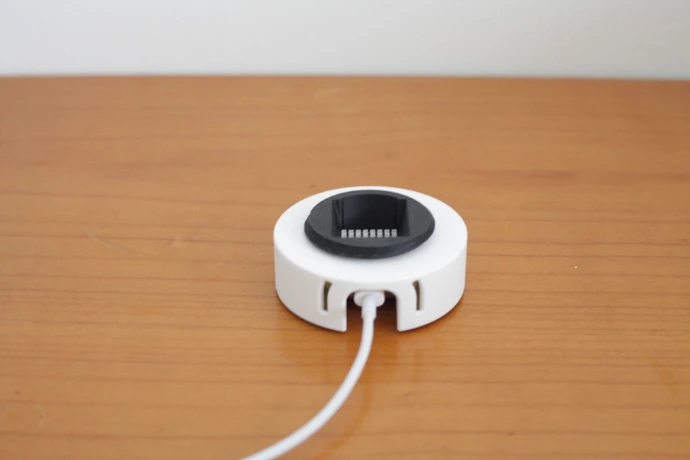
JE NACHTLAMPJE INSCHAKELEN
Aansluiten: Verbind het nachtlampje met een USB-C kabel.
Adapter: Gebruik een adapter van 5V met een vermogen van minimaal 500 mA. Een standaard iPhone- of Android-adapter is hiervoor doorgaans geschikt.
Veiligheid: Gebruik uitsluitend CE-gecertificeerde adapters. Bij gebruik van een kwalitatief minderwaardige of niet-gecertificeerde adapter kan de ‘shake’-functie haperen of kunnen de leds oververhit raken.
SHAKE IT
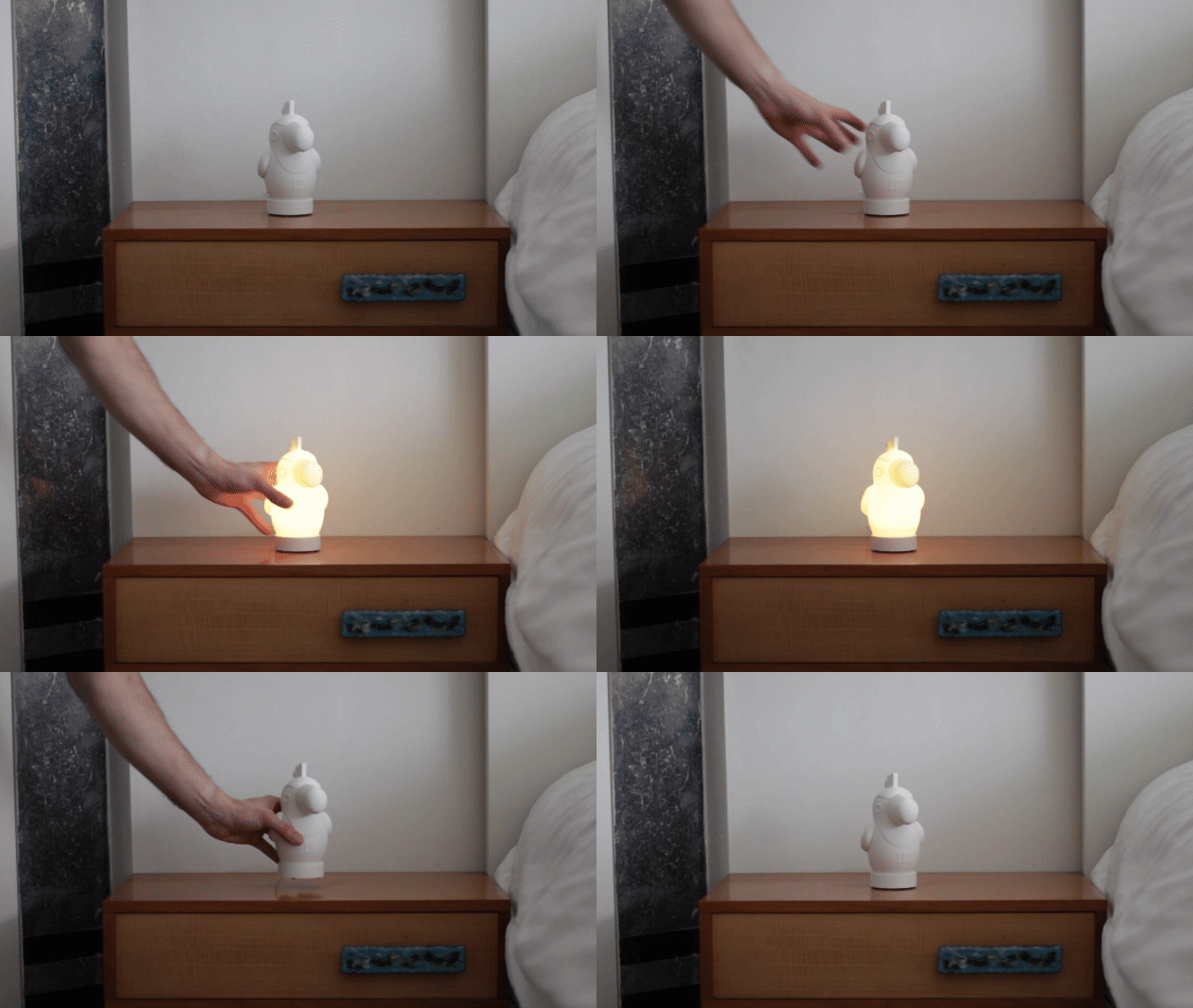
Hoe kan je uw nachtlampje aan/uit zetten? Door het te schudden!
STAP 1: VERBIND JOUW NACHTLAMPJE
Je nachtlampje zal verschijnen als 'GLOWII' in je wifi netwerken. Klik op dit netwerk en je zal automatisch verbinden met je nachtlampje.
In de app, kan je uw nachtlampje aan/uit zetten en de helderheid bedienen.
STAP 2: EFFECTEN
Je nachtlampje komt met verschillende ingebouwde effecten. In deze videotutorial kan je de werking zien van de verschillende effecten.
STAP 3: JOUW FAVORIETEN
Ben je verliefd op een bepaalde kleur of effect? Sla deze dan op in uw favorieten.
STAP 4: TIMER FUNCTIE
Met de timer-functie kun je het nachtlampje automatisch laten uitschakelen na een vooraf ingestelde tijd.
Stel een gewenste tijd in (bijvoorbeeld 60 minuten). Het lampje gaat na het verstrijken van deze tijd vanzelf uit.
STAP 5: WAKE UP FUNCTIE (SLAAPTRAINER)
Met de Wake-Up functie leert je kindje op een natuurlijke en speelse manier wanneer het tijd is om op te staan. Je kunt de lamp zo instellen dat de kleur verandert op een specifiek tijdstip:
Blijf nog even liggen (Rood): Stel de lamp bijvoorbeeld zo in dat hij 10 minuten voor de gewenste wektijd rood kleurt. Dit is het teken dat je kindje nog even rustig in bed moet blijven.
Tijd om op te staan (Groen): Op de ingestelde tijd (bijv. 08:00 uur) springt de lamp op groen. Nu weet je kindje dat de dag echt begint en hij of zij uit bed mag komen.
Zo creëer je een gezond ochtendritme en kun je zelf ook nog even blijven liggen!
STAP 6: DOWNLOAD THE WLED-Native APP
Android: WLED - Native - Apps on Google Play
Apple: WLED Native App - App Store
STAP 7: WLED APP EN WEB CONTROL
Verbind het nachtlampje met je eigen wifi-netwerk. Zodra het lampje gekoppeld is, is het niet langer zichtbaar als een apart wifi-signaal (Access Point), maar wordt het een onderdeel van je thuisnetwerk.
Dit is de makkelijkste manier om je lampje te beheren:
Gebruik je liever je computer of laptop? Dat kan via de web-interface:
BELANGRIJK: De bediening werkt uitsluitend via je lokale netwerk. Als je niet verbonden bent met je eigen wifi (bijvoorbeeld wanneer je buitenshuis bent en 4G of 5G gebruikt), kun je het nachtlampje niet via de app of browser bedienen.